01
16.S893Sheet 01 of 21Session
Session 14 · Thursday 29 October 2026
Case study: AeroAI
How I applied the ideas from this class to build AeroAI, a course companion for 16.100
16.S893AI Agents for Engineering Research
02
16.S893Sheet 02 of 21Session
The rest of the term
| Tue 3 Nov Thu 5 Nov | In-class clinics |
| Thu 19 Nov Tue 24 Nov Tue 1 Dec Thu 3 Dec | Final presentations. Four students a day, 15 minutes each |
| Fri 4 Dec, 5 pm | Final portfolio freeze: a tagged commit on your git repo |
| Week of 7 Dec | One-on-one discussions. The sign-up will go out soon |
Sign up for a presentation slot in the sign-up sheet, or scan the code. If you present early, you have less finished work to show, but more time afterwards to clean up your repo, website and dev log.
03
16.S893Sheet 03 of 21Session
Today
- How I built AeroAI, the tutor for 16.100
- What I learned along the way
- What happened once students started using it
04
16.S893Sheet 04 of 21Session
05
16.S893Sheet 05 of 21Session
06
16.S893Sheet 06 of 21Session
Part 01
Building it with agents
07
16.S893Sheet 07 of 21Session
08
16.S893Sheet 08 of 21Session
Decisions from the grill session
| Decision | Why |
|---|---|
| Never give the answer | Students learn by working the problem themselves |
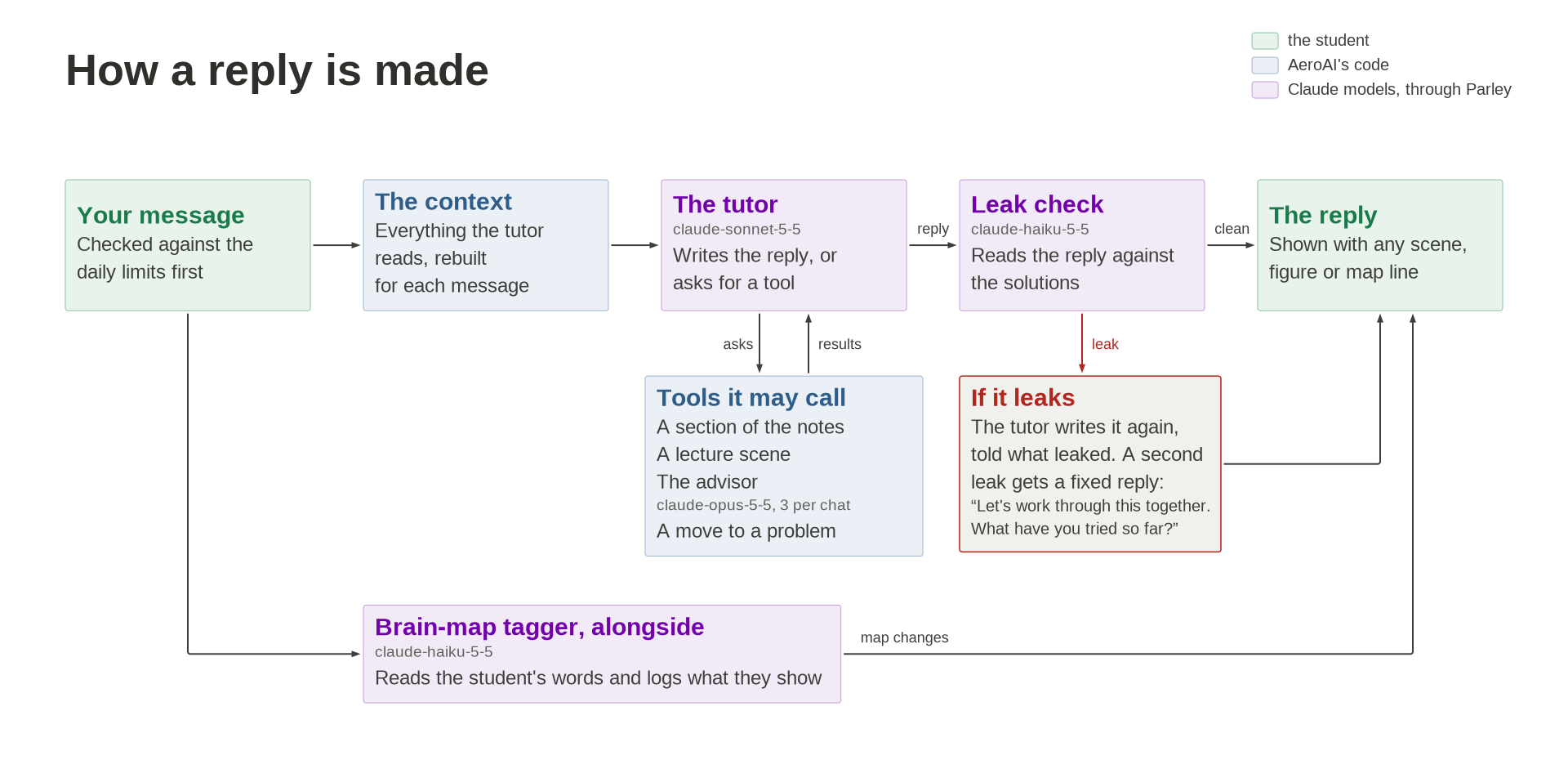
| Call the model from the server only | The browser never holds the API key, the prompts or the solutions |
| Check replies in Concepts mode too | The tutor can still solve a homework problem in disguise |
| Show each reply whole, not streamed | A cheaper model checks the full reply before the student sees it |
| Give students made-up names | Student privacy. Staff see only the made-up name |
| Cap the spending each day | A bug or an attack cannot run up the bill |
09
16.S893Sheet 09 of 21Session
10
16.S893Sheet 10 of 21Session
11
16.S893Sheet 11 of 21Session
12
16.S893Sheet 12 of 21Session
13
16.S893Sheet 13 of 21Session
Part 02
What I learned along the way
14
16.S893Sheet 14 of 21Session
In September I knew nothing about running a server, getting it a certificate, or JavaScript and WebGL.
I still do not know them well. I learned just enough to ask the agent for useful things. Before, I would not have even known the words to use.
15
16.S893Sheet 15 of 21Session
A vortex filament
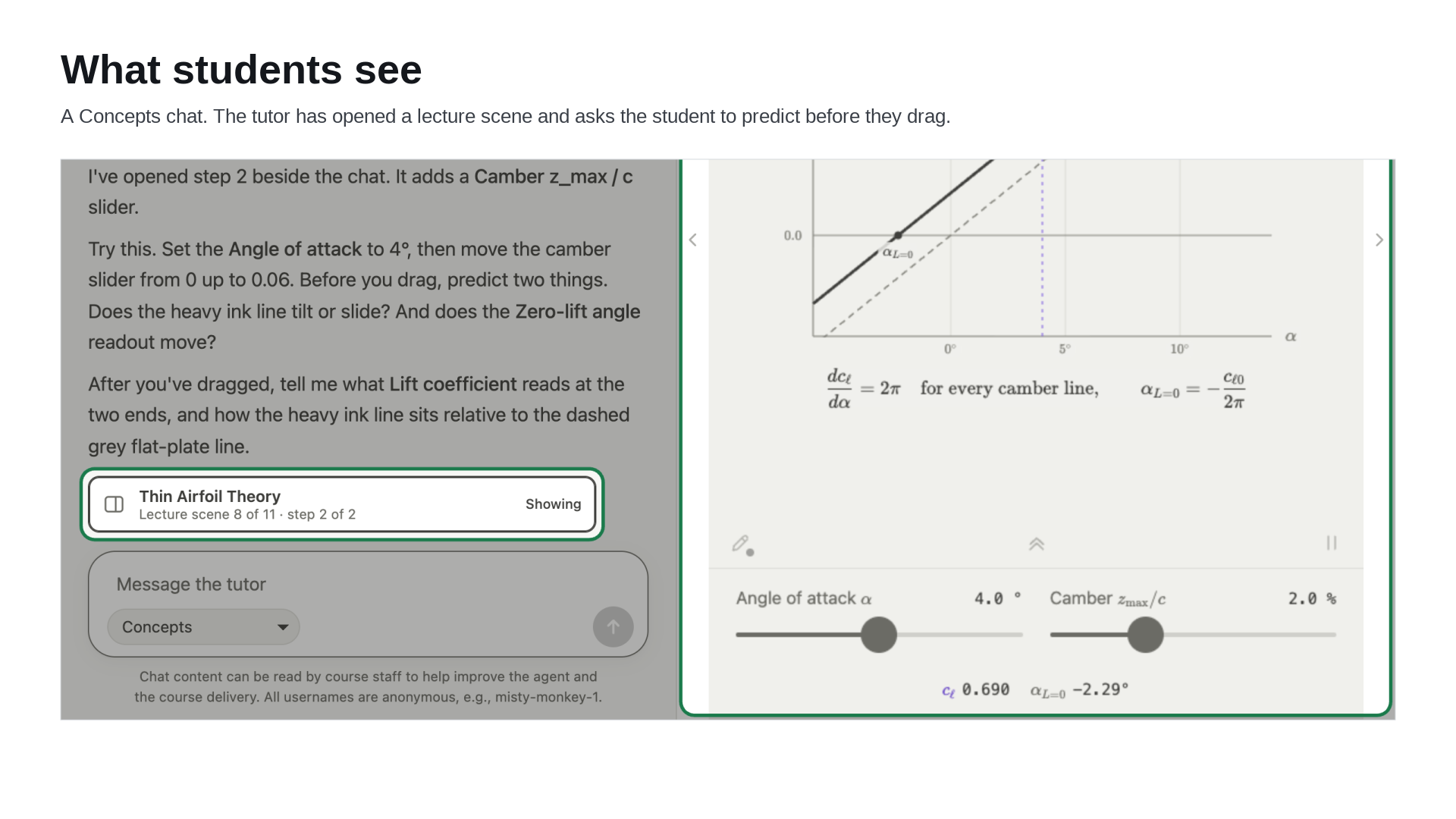
The tutor never makes up a scene on the fly. It opens only scenes I built and checked for the course: mit.edu/~prash/16.100
16
16.S893Sheet 16 of 21Session
An aircraft roll
17
16.S893Sheet 17 of 21Session
Part 03
Once students started using it
18
16.S893Sheet 18 of 21Session
19
16.S893Sheet 19 of 21Session
20
16.S893Sheet 20 of 21Session
Ideas from this class that I used in AeroAI
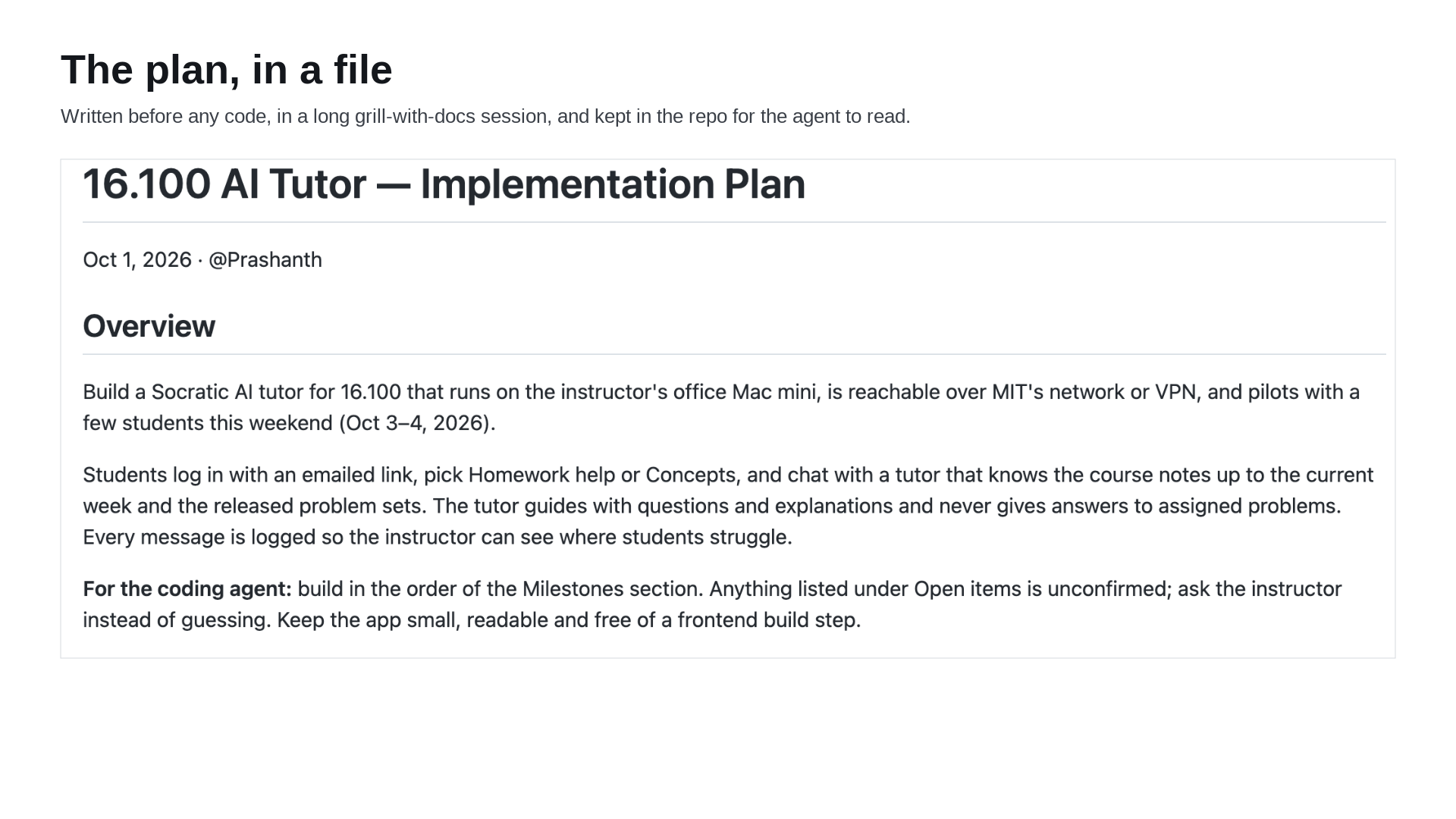
| Configure | The plan and the agent’s rules, from a long grill-with-docs session |
| Skills | svg-figs draws diagrams for me to review; cold-read keeps the text plain |
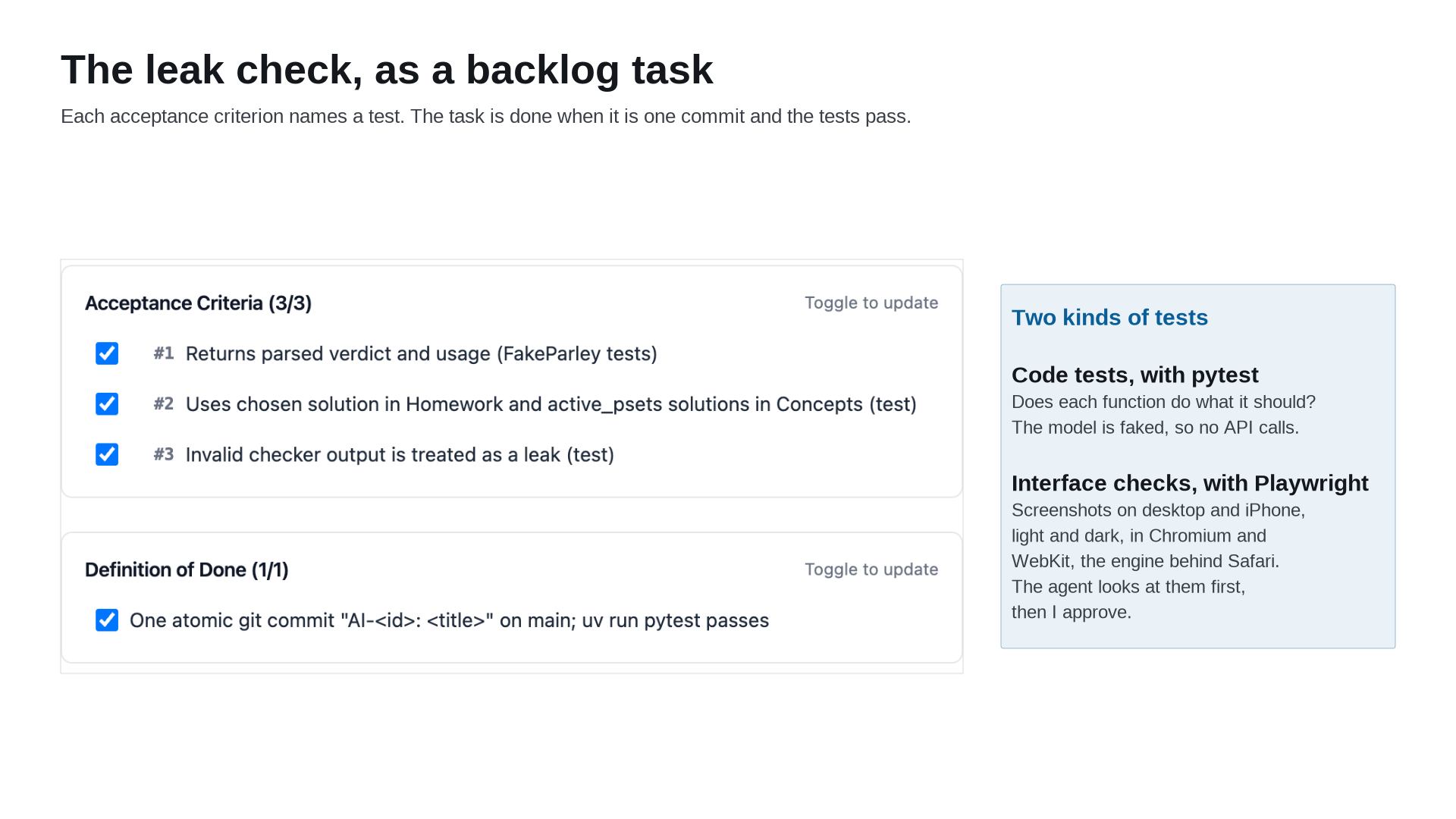
| Break into tasks | The plan split into Backlog.md tasks, each with acceptance criteria |
| Contain | The tutor has no shell, only a few fixed tools. No message can run a program |
| Verify | TDD for each task, and replays of real chats |
| Reproduce | Commits name the task they belong to |
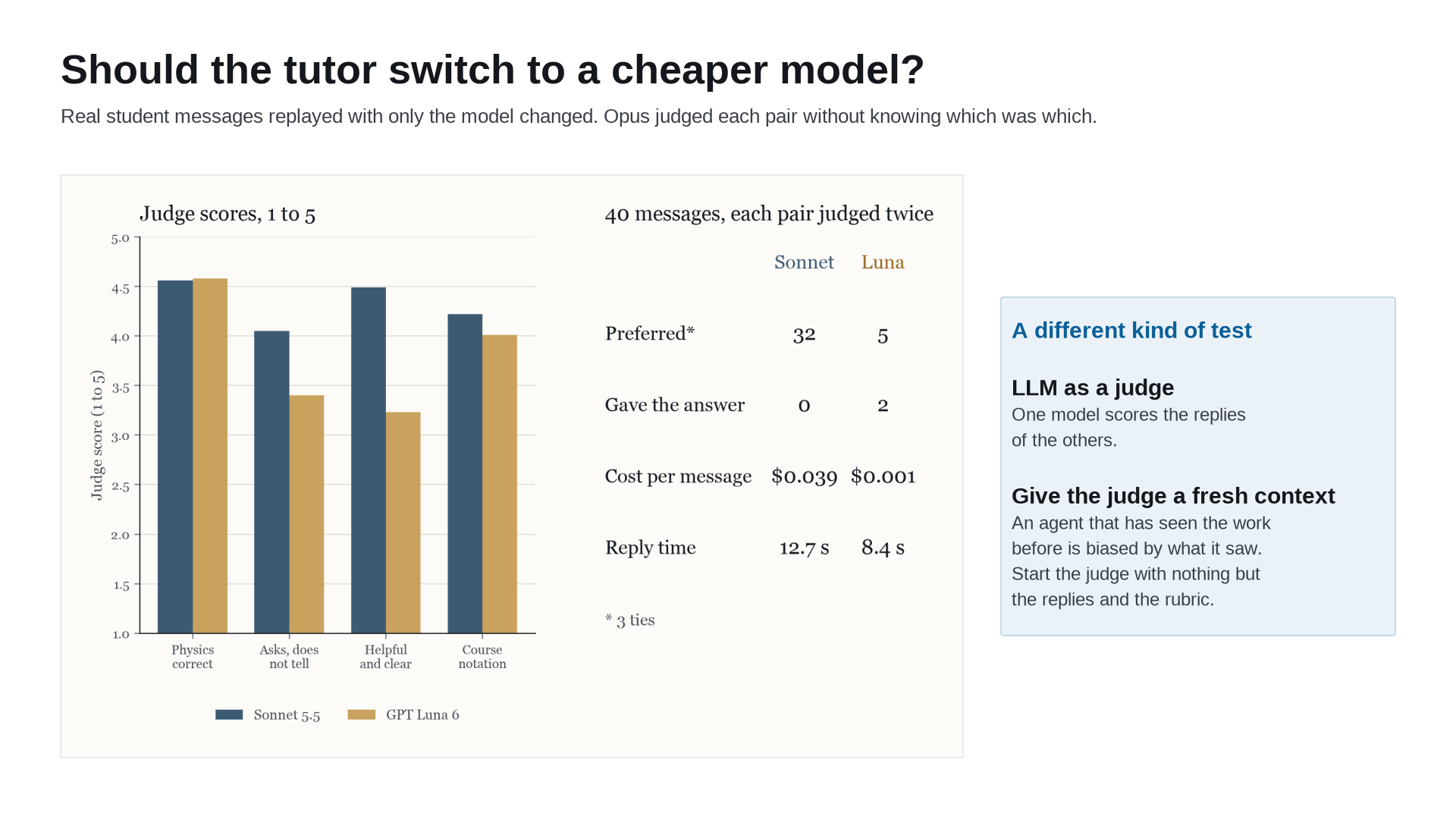
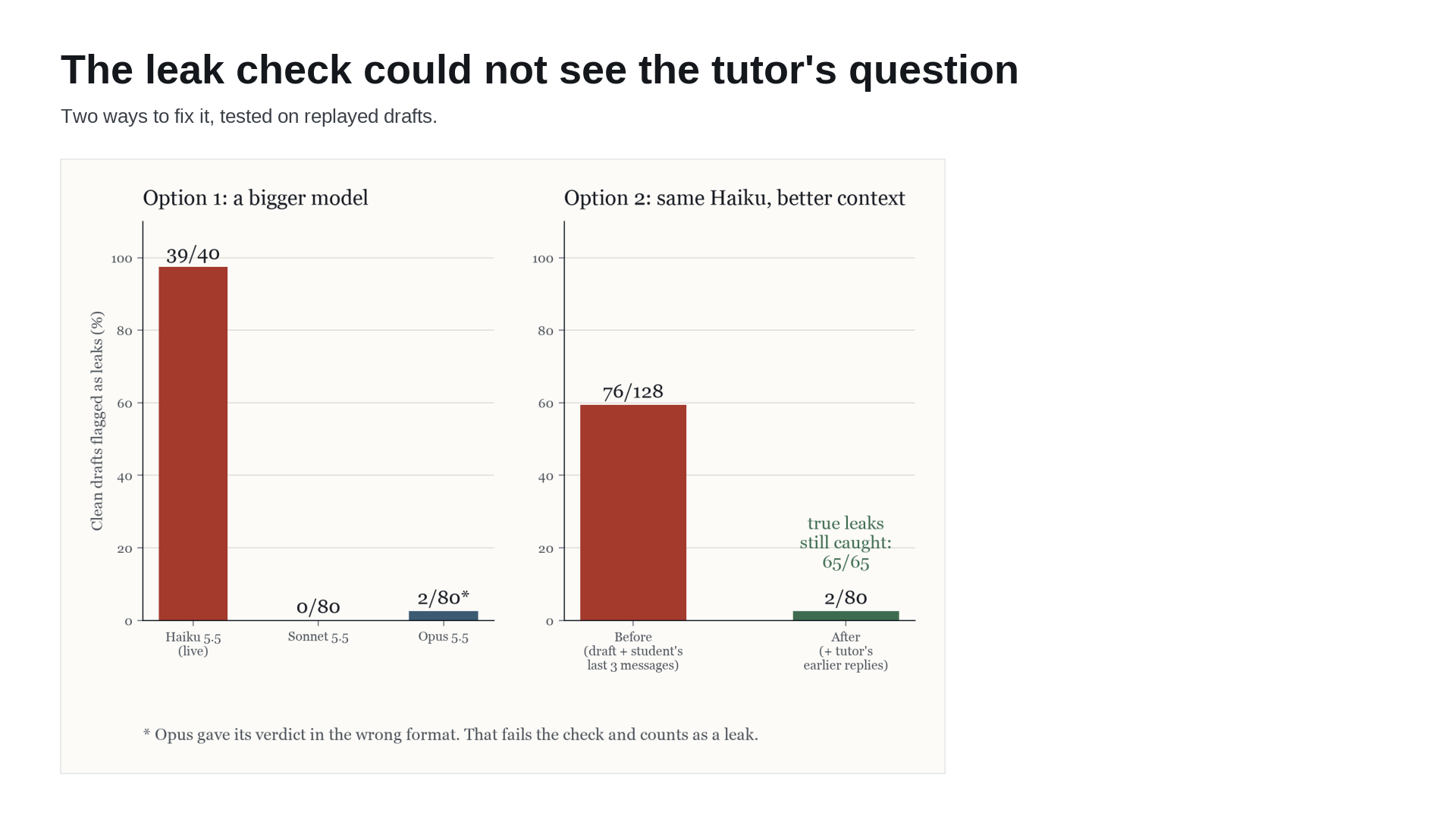
| Budget | A daily cap, and better context before a bigger model |
| Delegate | Agents wrote the code; I kept the teaching rules and the prompts |
| Throw away | The review sites. They stay in git history if I ever need them |
21
16.S893Sheet 21 of 21Session
By Thursday 5 November
Reminder
- Run
/walkthroughon the last feature, and share the output on your website. Feel free to edit the walkthrough tool to suit your project - Write a dev-log paragraph that identifies your core contribution, one part you do not yet know how to check, and how you plan to check it
Also
- Sign up for a final presentation slot in the sign-up sheet
- How AeroAI works, in six diagrams